
TesterArmy CLI
Execute tests from ad-hoc prompts or markdown files using CLI.
TesterArmy CLI (testerarmy / ta) is an agent-first QA runner.
It is primarily made for agent workflows, while still supporting interactive local usage.
This gives your coding agent like Claude Code, Codex or OpenCode testing super powers. It allows them to spawn multiple testing agents to improve the feedback loop.
Why?
- Close the agentic loop, give your agent reliable feedback for iterating on changes.
- Run browser QA checks from prompts or markdown test files.
- Execute markdown test suites in parallel with predictable pass/fail behavior.
- Don't pollute the context of your main agent - only important information comes back.
Example
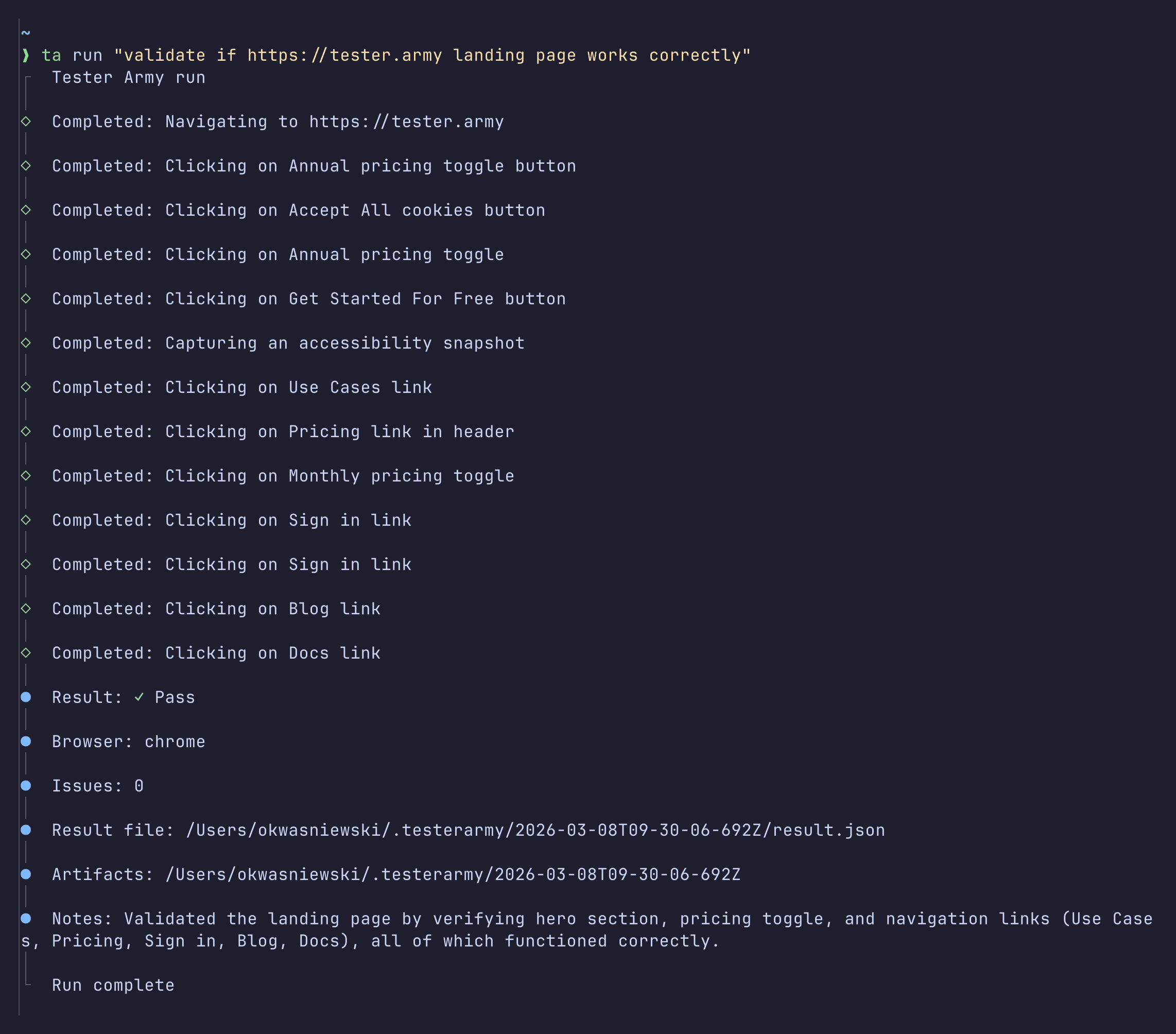
Install and invoke
npm install -g testerarmy

# or no install
npx testerarmy --help
Both binaries map to the same CLI:
testerarmy --help
ta --help
Core commands
ta status
Show authentication state and API key source.
ta status
ta status --json
--json includes authenticated, apiKeySource, environmentApiKeySet, configApiKeySet, and configPath.
API key source priority:
TESTERARMY_API_KEY~/.config/testerarmy/config.json
ta auth
Validate and save API key in local config.
ta auth
ta auth --api-key YOUR_KEY
ta auth --api-key YOUR_KEY --base-url https://tester.army
ta signout / ta logout
Clear stored credentials.
ta signout
ta logout
ta run <prompt|file|directory>
Run a single prompt, markdown file, or a directory of markdown tests.
# Inline prompt
ta run "check pricing page on https://example.com"

# Single markdown test
ta run tests/01-landing-page.md

# Directory mode (parallel)
ta run tests/
ta run tests/ --parallel 5
Directory mode notes:
- Scans only top-level
*.mdfiles. - Excludes
TESTER.mdandREADME.mdfrom executable test files. - Prepends
TESTER.mdcontent (if found in the directory tree) to each test.
Single file and inline prompt notes:
- If
TESTER.mdis found while walking up directories, it is prepended automatically. - Target URL is only taken from
--urlorTESTERARMY_TARGET_URL.
ta list / ta ls
List recent local runs from .testerarmy/.
ta list
ta ls -n 20
ta list --json
run options
--url <url>: Explicit target URL--json: Print JSON payload (automation friendly)--headed: Run visible browser--timeout <ms>: Positive integer timeout (default:600000)--api-key <key>: Override key for this run--base-url <url>: Override API base URL--output <file>: Write machine-readable envelope/summary to file--system-prompt-file <file>: Replace base system prompt with file contents--parallel <n>: Directory mode concurrency (default:3)--debug: Persist full debug transcript artifact
Environment variables
TESTERARMY_API_KEY: API key overrideTESTERARMY_BASE_URL: API base URL overrideTESTERARMY_TARGET_URL: Target URL forrunMCP_TIMEOUT_NAVIGATION_MS: Playwright navigation timeout overrideMCP_TIMEOUT_ACTION_MS: Playwright action timeout override
Local artifacts
Each run creates .testerarmy/<timestamp>/ with:
run-meta.json: metadata (runId, timestamps, PID, mode, prompt, target URL)result.json: final QA result payloaddebug-run.json: detailed stream/tool artifact (only with--debug)
When --output <file> is set:
- Single run: writes success/failure envelope with artifact paths.
- Directory run: writes batch summary + per-file results.
Exit behavior
0: success1: test failure or user cancellation2: CLI/runtime error
Agent-oriented workflow
# 1) Check auth state
ta status --json

# 2) Set target once for scripted runs
export TESTERARMY_TARGET_URL="http://localhost:3000"

# 3) Run focused markdown scenario
ta run tests/01-landing-page.md --json --output .testerarmy/latest.json

# 4) Or run whole suite
ta run tests/ --parallel 3 --json
This workflow is the default path for coding agents: deterministic inputs, machine-readable outputs, and reproducible local artifacts.
Related Guides
- Markdown Test Files for structuring
tests/and sharedTESTER.mdinstructions. - Getting Started for platform overview.
- Project Setup for GitHub + Vercel project setup.
- API Reference for async run endpoints and webhooks.